
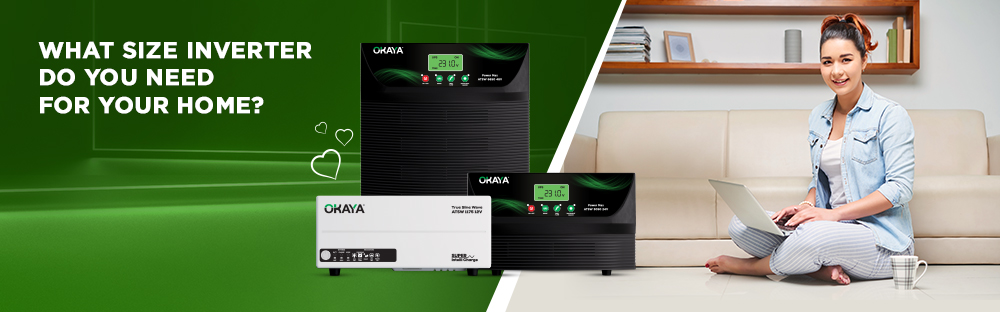
Buying an inverter that's too small means overload trips every time you switch on the fridge; buying one that's too large means paying for capacity you'll never use. Getting the size right is really a five-minute calculation once you know what to measure. This guide walks through exactly how to calculate the inverter capacity your home needs, and how to select the right inverter for home use from Okaya's range — without the guesswork.
An inverter's size (VA rating) determines how many appliances it can run at the same time, not how long it can run them — that's the battery's job. Undersizing means frequent overload shutdowns the moment you run a fridge, a mixer, and lights together. Oversizing means paying more upfront for load-handling capacity your home will never draw on. The right size is simply the one that matches your actual, simultaneous appliance load with some room to grow.
Start with what you'd actually want powered during an outage — not your entire home's wiring, just the essentials:
1. Lights and fans (typically 15–75W each)
2. Refrigerator (typically 150–300W)
3. TV, Wi-Fi router, laptop or desktop
4. Any occasional-use devices you'd want backed up (mixer, iron, water pump)
Check the wattage printed on each appliance's label or in its manual — this is your starting list.
Add up the wattage of everything on your list. Remember that motorized appliances (like a fridge compressor, mixer, or water pump) draw a higher starting wattage than their running wattage, so account for that rather than just the running figure. Once you have a total, add a 20–25% safety buffer for future additions or unexpected surges.
Example: Fans, lights, and a TV totalling 1,000W, plus a 250W buffer, brings you to roughly 1,250W of load to plan around.
Two different numbers decide two different things:
1. VA (inverter size): how many appliances the inverter can power at once, before it overloads.
2. Ah (battery capacity): how long those appliances stay powered during an outage.
A correctly sized inverter with an undersized battery will run your appliances fine but for a short duration; an oversized inverter with the right battery will run the same appliances but cost more than necessary. Both numbers matter, and they're calculated differently.
For the full VA calculation formula (Total Wattage ÷ Power Factor) with worked examples and Okaya's model-by-VA breakdown, see our dedicated guide: How to Choose the Right Inverter VA for Your Home.
Matching Inverter Size to Your Home Type
As a starting reference point (always cross-check against your own appliance list from Step 1 and Step 2):
1BHK, basic backup: fans, lights, a router — typically suited to entry-level Home UPS capacity.
2BHK, everyday use: the above plus a TV and moderate kitchen use — mid-range Home UPS capacity.
2-3BHK, fuller load: multiple rooms running fans, lights, TV, and other devices together — higher Home UPS capacity.
Large homes, shops, offices, heavier equipment: motorized appliances, multiple workstations, or commercial devices — Hi-Capacity UPS range.
For a detailed breakdown by household size, see Top Power Backup Solutions for 1BHK, 2BHK, and 3BHK Homes.
Key Features to Look for Beyond Size
Once you've narrowed down a capacity, these features affect how well the inverter actually performs day-to-day (verified against Okaya's current Advanced Home UPS and Hi-Capacity UPS specifications):
Advanced True Sine Wave (ATSW) output: a clean, stable power waveform that keeps sensitive electronics (LED TVs, laptops, routers) running safely and quietly.
Super Intelli Charge: charges the battery up to 15% faster via a 'Boost to Float' charging mode, so backup is ready sooner after power returns.
Superior load handling: Okaya's Home UPS and Hi-Capacity UPS models are engineered to handle loads exceeding 100% of rating for short bursts, useful for appliances with a high starting current.
Smart Phase Match Switching: changeover between mains and inverter in about 10 milliseconds, so sensitive devices don't reboot or glitch.
Protection suite: Smart Overload Protection, Low and High Battery Protection, Input/Output Short Circuit Protection, and Over Temperature Protection are built into every model, with Fuse/MCB Trip Protection on the higher-capacity range.
Display and alarms: LED display on the 700-1,650 VA range, upgrading to a full LCD/LED display (showing load %, battery voltage, and input voltage) from 2,500 VA upward, with audible alarms for low battery, overload, and short-circuit conditions.
Certifications: Okaya's Home UPS and Hi-Capacity UPS range is BIS Certified, ISO Certified, and CE Certified.
Battery compatibility: Okaya inverters are compatible with tubular and SMF battery types, so you're not locked into one battery format.
Once your total load is calculated, it typically falls into one of two Okaya ranges:
Advanced Home UPS (700 VA - 2,000 VA): built for everyday residential backup — fans, lights, TVs, routers, and standard kitchen appliances across 1BHK to 3BHK homes. Browse the full Home UPS range on shop.okaya.in.
Hi-Capacity UPS - Power MAX Series (2,500 VA - 6,100 VA): built for heavier, sustained loads — larger homes, shops, offices, clinics, and setups running motorized or commercial equipment such as water pumps, larger ACs, or multiple workstations together. Browse the full Hi-Capacity UPS range on shop.okaya.in.
If you're comparing home inverter capacity or looking for a heavy duty inverter for a shop or office, matching your calculated load (Step 2) against the full Home UPS or Hi-Capacity UPS product listing tells you which tier to shop in before you compare individual models.
Pairing Your Inverter With the Right Battery
An inverter's VA rating is only half the sizing decision — the battery capacity you pair it with determines your actual backup duration. Okaya's inverter batteries are built with XBD+ (Xtra Backup Design Plus) for longer backup and faster recharge, and carry Certified Backup Hours (CBH) — tested runtime values verified by NABL-accredited laboratories and printed on the packaging, so you know what backup to expect rather than estimating it.
Choosing an Okaya inverter and an Okaya XBD+ battery together (an Okaya Power Pair) also keeps both under single-brand responsibility, which simplifies service and troubleshooting if an issue ever comes up — instead of coordinating between two different brands.
If you'd rather not do the wattage math by hand, Okaya's online load calculator (an inverter size and capacity calculator in one) estimates the inverter VA and battery Ah suited to your appliances directly. For anything else — comparing models, confirming a size before you buy, or checking installation support — you can reach Okaya via WhatsApp (+91 9818909090), phone, or email (care@okaya.in), or use the Okaya Dealer Locator to find an inverter dealer near you. You can also browse Okaya's full inverter and battery range directly on shop.okaya.in.
Conclusion
The right inverter size comes down to three numbers: your total appliance wattage, a safety buffer of 20–25%, and the VA rating that comfortably covers both. From there, matching that load to Okaya's Home UPS or Hi-Capacity UPS range — and pairing it with a correctly sized, CBH-verified battery — is what actually determines how reliably your home stays powered through an outage. When in doubt, Okaya's load calculator or support team can confirm the number for you before you buy.
How do I calculate the inverter capacity I need for my home?
List the wattage of every appliance you want backed up, add them together, and add a 20–25% safety buffer for future use. This total wattage is then converted to a VA rating (see our detailed VA guide for the exact formula) to arrive at the inverter capacity suited to your home.
How do I select the right inverter for my home?
Start by calculating your total appliance load (Step 1 and 2 above), then match that load to Okaya's Advanced Home UPS range (700–2,000 VA) for typical residential use, or the Hi-Capacity UPS range (2,500–6,100 VA) for larger homes, shops, or offices with heavier equipment.
Does a bigger inverter give longer backup power?
No. VA rating determines how many appliances the inverter can run at once, not how long they run. Backup duration depends on the battery's Ah capacity, not the inverter's VA rating.
What is the difference between VA and Watts in an inverter?
VA (Volt-Ampere) is the inverter's rated load-handling capacity, while Watts is the actual real power an appliance draws. The two are related but not identical, which is why a power factor is used to convert between them — see our VA guide for the full calculation.
Can Okaya inverters run a refrigerator or washing machine?
Yes — Okaya's higher-capacity Home UPS models (such as the 1,650 VA and 2,000 VA range) and Hi-Capacity UPS range are built to handle motorized appliances like refrigerators and washing machines, provided the inverter and battery are sized to the appliance's starting wattage.
What is the warranty on Okaya's Home UPS and Hi-Capacity UPS range?
Okaya's Advanced Home UPS and Hi-Capacity UPS models carry a 36-month warranty.
Are Okaya inverters compatible with both tubular and SMF batteries?
Yes, Okaya's inverter range is designed to work with both tubular and SMF (Sealed Maintenance-Free) battery types.
Should I buy a Home UPS or a Hi-Capacity UPS?
If your calculated load stays within everyday residential use — fans, lights, a TV, and standard kitchen appliances — Okaya's Advanced Home UPS range (up to 2,000 VA) is typically sufficient. For larger homes, shops, offices, or setups with heavier or motorized equipment, the Hi-Capacity UPS — Power MAX Series (2,500 VA and above) is built for that load.
Which inverter is most suitable for a 3BHK home's power backup needs?
For most 3BHK homes running fans, lights, a TV, refrigerator, and standard household appliances, Okaya's higher-capacity Advanced Home UPS range from 1,650 VA to 2,000 VA — such as the ATSW1900 and ATSW2550 — can be considered based on the calculated load. If the home also runs heavier equipment — an AC, a larger water pump, or multiple appliances simultaneously — stepping up to the Hi-Capacity UPS range (2,500 VA and above) is worth calculating for. See our 1BHK, 2BHK, and 3BHK breakdown for the full comparison.
How many appliances can a Hi-Capacity UPS support?
There's no fixed appliance count — it depends on the combined starting wattage of whatever is running at the same time, not the number of devices. Okaya's Hi-Capacity UPS range (2,500 VA-6,100 VA) is built for setups like an AC, a water pump, multiple workstations, or commercial equipment running together, but a mix of low-wattage lights draws very differently from one high-starting-wattage motor. Use Steps 1 and 2 in this guide, or Okaya's load calculator, to confirm the number for your specific appliance mix.
 OKAYA POWER PVT. LTD.
ENERGIS D-7, 3rd & 4th Floor, Rohtak Rd,
Udyog Nagar, Mangolpuri,
New Delhi - 110041, INDIA
OKAYA POWER PVT. LTD.
ENERGIS D-7, 3rd & 4th Floor, Rohtak Rd,
Udyog Nagar, Mangolpuri,
New Delhi - 110041, INDIA
© 2026 All Rights Reserved to Okaya Power Private Limited

